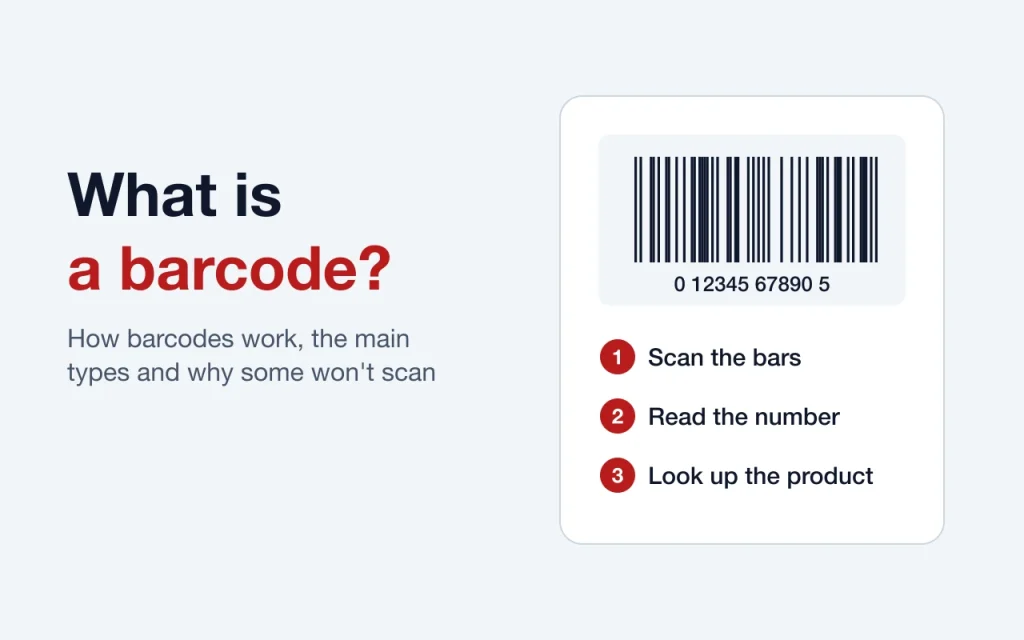
A barcode is a machine-readable pattern of bars, dots or boxes that stands for a number or other data. A scanner reads the pattern, turns it back into characters and hands them to a computer, which looks up whatever that number refers to. On a retail product, the barcode usually holds nothing but a 12-digit number. The product’s name, price and stock level all live in the store’s own system.
That last point is the one most people get wrong, and it explains a lot about how barcodes behave in real life, so we’ll start there.
What a barcode does, and what it doesn’t
Think of a barcode as a key, not a container. When a cashier scans a box of cereal, the scanner doesn’t learn the word “cereal” or the price. It reads a number and asks the store’s system what that number means. The system answers with the name and today’s price, and it takes one unit off the stock count.
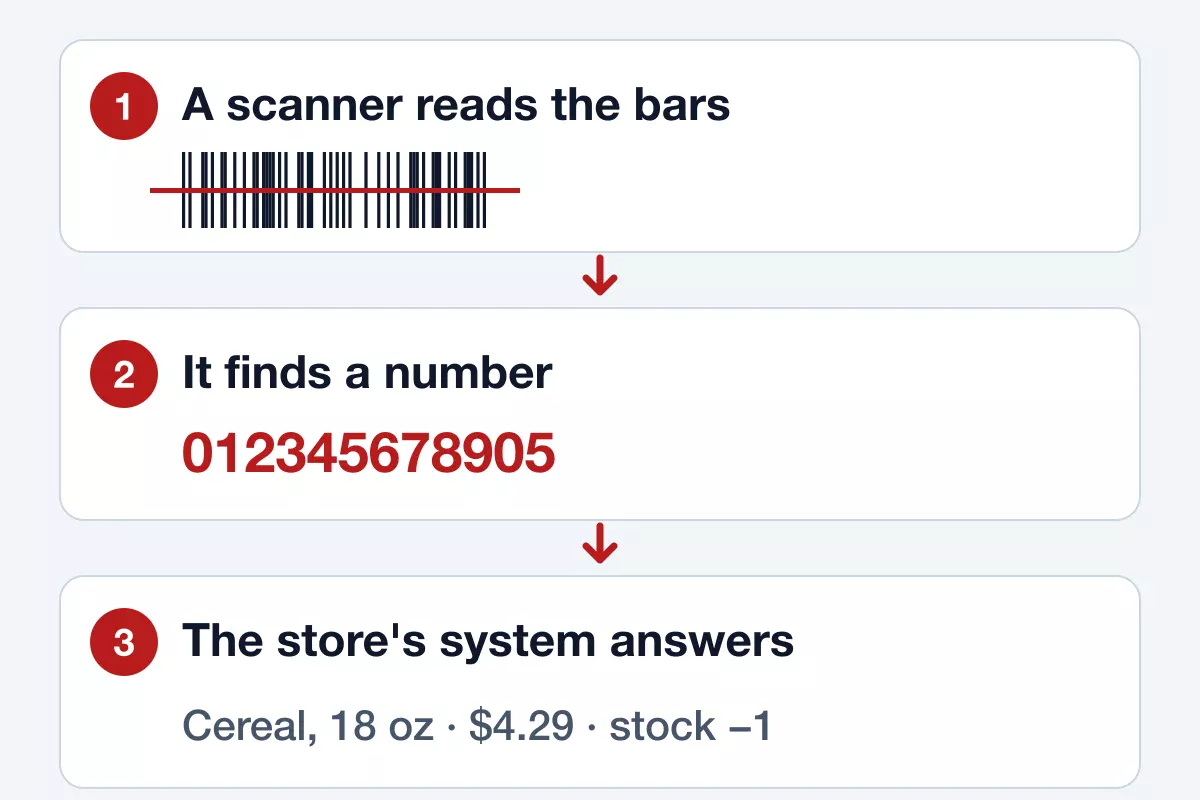
This design is why a store can change a price without reprinting anything. The barcode stays the same on the package, and only the record behind it changes. It’s also why two stores can charge different prices for the same barcode, and why a brand-new product won’t scan at a shop until someone has added its number to that shop’s system.
A retail barcode doesn’t contain the price, the expiry date or the country of manufacture. The opening digits of a code show which GS1 office handed out the number range, not where the item was made. If you’ve seen advice about checking a product’s origin from its barcode, ignore it.
How a scanner reads a barcode
GS1 US describes barcodes as a way to “encode numbers into a pattern of vertical bars, dots, or boxes.” A scanner reads that pattern in one of two ways: it sweeps a laser across the code, or it captures an image, as a phone camera does. Dark bars absorb light and pale spaces reflect it, and the widths of those bars and spaces spell out each digit.
Contrast is what makes this work, which is why most barcodes are printed black on white. A scanner that uses red light can’t see red bars at all, so a stylish red barcode on a white label may simply fail. A pale gray barcode on a kraft-paper box can fail the same way.
Each UPC ends in a check digit. It’s calculated from the other 11 digits, so the scanner can tell straight away if it misread something. Our UPC check digit calculator shows the sum step by step.
The parts of a UPC barcode
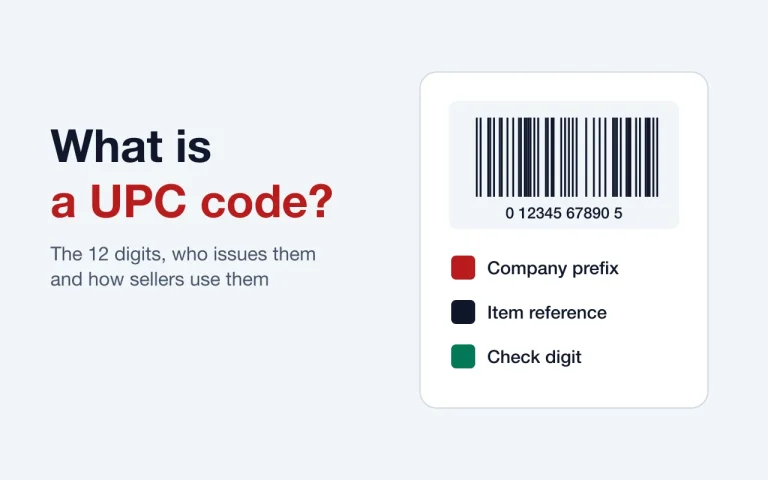
The barcode you see on most US products is a UPC-A. It has 12 digits, split into three jobs:
- Company prefix. The opening digits identify the company that licensed the number range from GS1.
- Item reference. The next digits are assigned by that company, one for each product and variation.
- Check digit. The last digit catches misreads and typos.
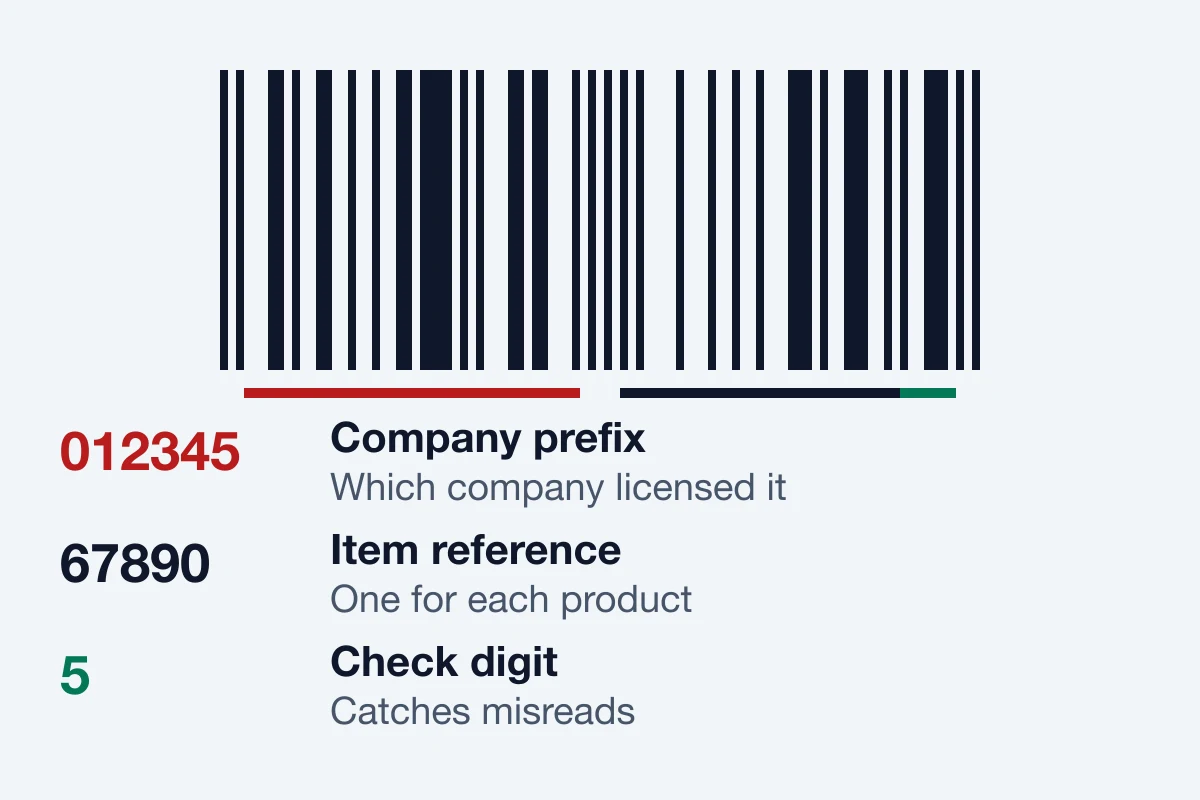
A narrow blank margin on each side matters too. Scanners use that quiet zone to find where the code begins and ends, so a border or a design element printed too close can stop a good code from scanning. For the digit-by-digit version, see our guide to what a UPC code is.
Common types of barcode and where you’ll see them
Barcodes split into two families. Linear, or 1D, barcodes use a single row of bars. 2D barcodes use a grid of dots or squares, so they can hold more data and can be scanned from any angle. Here are the types you’re most likely to meet, using GS1 US’s own descriptions:
| Type | Family | Where it’s used |
|---|---|---|
| UPC-A | 1D | Retail products in the US, such as groceries, electronics, clothes, toys and cosmetics |
| UPC-E | 1D | A compact code for small packs where space is tight, such as candy |
| EAN-13 | 1D | The same job as a UPC, common outside North America |
| ITF-14 | 1D | Shipping cases and cartons, not checkout |
| GS1-128 | 1D | Distribution and logistics |
| Data Matrix | 2D | Fresh foods, construction and, in its GS1 version, healthcare |
| QR Code | 2D | Consumers scan it to reach information on the web |
If you sell products in stores or on marketplaces, the one you need is almost certainly a UPC-A. The others come up later, if at all. A wholesaler might ask for ITF-14 on your cases, for example.
QR codes and barcodes
A QR code is a barcode, just a 2D one. DENSO WAVE released it in 1994, and the auto industry was the first to adopt it, using it to track parts through production. Today it’s mostly a shortcut to a web page. You can print one on a flyer, a menu or a business card with a free generator, and no one has to license it. It doesn’t replace a UPC, though. Checkout systems and marketplaces still look for the 12-digit product number.
Where barcodes are used
Retail checkout is the famous use, and it started on June 26, 1974, when a pack of Wrigley’s gum was scanned at a Marsh supermarket in Troy, Ohio. Barcodes now do much more than that:
- Stock control. Scanning items in and out keeps counts accurate without anyone typing.
- Online listings. Marketplaces use the same product numbers to match a listing to the right catalog entry.
- Shipping. Carriers scan a parcel at every stop, which is how tracking pages work.
- Healthcare. Hospitals scan medicines and patient wristbands to reduce errors.
- Tickets and boarding passes. A 2D code proves the ticket is valid at the door.
Scanning beats typing for a simple reason: a person keying in numbers all day will make mistakes, and a scanner with a check digit catches its own.
Why a barcode won’t scan
When a code fails, the cause is nearly always one of these:
- Too small. GS1 allows a UPC between 80% and 200% of its standard size. At 100% it’s 1.468 inches wide including the margins, with bars at least 0.9 inches tall. Below 80%, expect trouble.
- Bars cut short. Trimming the height to fit a label can stop a code from reading.
- Low contrast or the wrong colors. Stick to dark bars on a pale background, and avoid red bars.
- No quiet zone. Keep the blank margins clear of text, borders and fold lines.
- Blurry printing. A low-resolution image stretched to size prints with fuzzy edges. Use a vector file for packaging.
- A curved or shiny surface. Print a test and scan it on the real packaging before a full run.
How to get a barcode for your product
Getting a barcode takes two steps, and only the first one costs money. First you need a number that’s licensed for sale, from GS1 US or a reseller. Then you turn that number into an image and print it. Our orders include image files, and our free barcode generator makes them from any number you already own.
Which source you need depends on where you sell. GS1 US costs more and puts your company’s name on the record, which matters on Amazon, on Walmart and in retail chains. A reseller code costs far less and suits channels that only need a valid number. We sell reseller codes, so we’ve laid out both sides in our guide to where to buy UPC codes, including the cases where you should go to GS1 and not to us.
Frequently asked questions
Can I make up my own barcode number?
You can draw any barcode you like, but the number inside has to be yours. A made-up number may already belong to another product, and it won’t pass a marketplace’s checks. Using one inside your own business for stock control is fine, as long as those items never reach a store or a marketplace.
Does a barcode show the price?
No. A UPC holds only a number. The price sits in the store’s system, which is why it can change without a new label.
Can I scan a barcode with my phone?
Yes. A phone camera can read most barcodes with the right app, and iPhones and many Android phones read QR codes in the built-in camera. A phone is also a handy way to test a printed label, though a retail scanner is the better test before a large print run.
Does every product need a barcode?
No law requires one for most goods. In practice, stores and most marketplaces do, because their systems run on them. If you only sell at a local market or on your own site, you may not need one yet.