The best way to get more sales on Amazon is to fix what’s already costing you sales: wrong product data, a confusing title, weak images, empty stock and no idea of your real margin. None of these tips is a secret, and that’s the point. Most listings lose sales to basic problems, not to clever rivals. Work through these ten in order, since the early ones affect everything after them.
1. Check your product ID before anything else
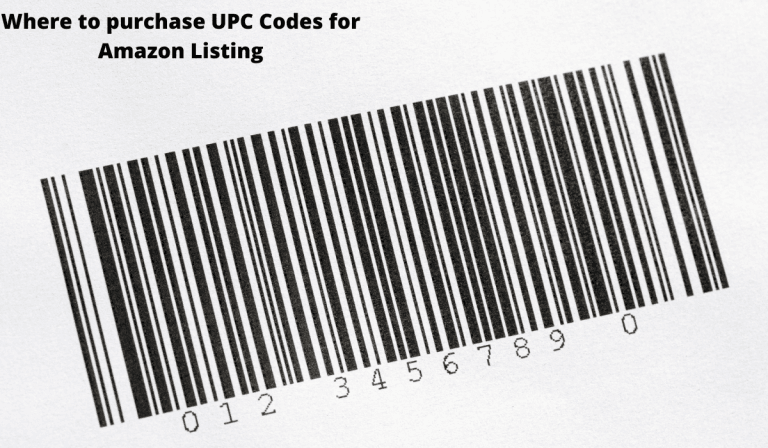
A listing can’t sell if it’s blocked or attached to the wrong catalog entry. Amazon checks product IDs against GS1 data, so make sure your UPC is valid and suits your situation. If you own the brand and Amazon is your main channel, codes from GS1 are the safest choice. If you’re adding an offer to someone else’s product, use the barcode already on the package. Our UPC codes for Amazon guide covers both, along with the errors you’ll see when something’s wrong.
2. Write a short, clear title
Your title has one job: to tell shoppers what the product is, fast. Put the brand, the product type and the most important detail first, such as size or color. Trade reports say Amazon now limits titles outside media to 75 characters, as of July 27, 2026, and shortens longer ones with AI. Check the current rule for your category in Seller Central. Don’t wait for Amazon to rewrite your title for you.
3. Treat your main image as your ad
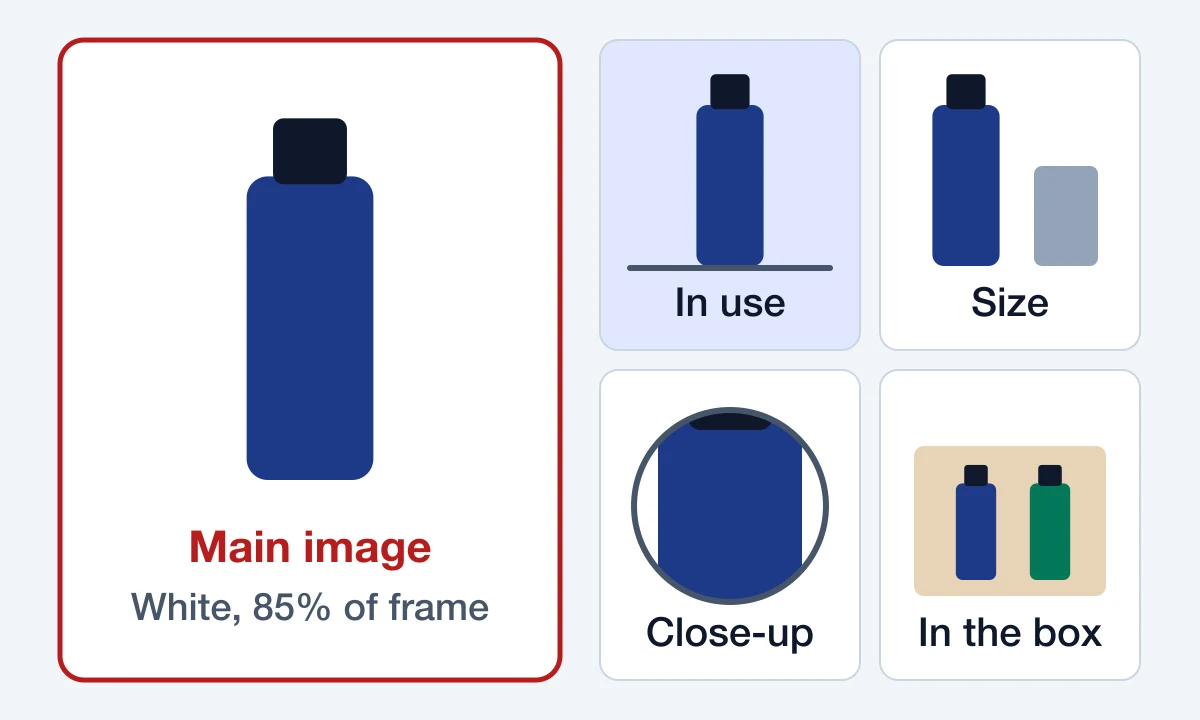
In search results, shoppers see your main image before they read a word. Seller guidance calls for a pure white background, with the product filling about 85% of the frame and no added text. Beyond that, use your other slots to show the item in use, its size next to something familiar, close-ups and what’s in the box. Skip the idea that one great photo is enough. Different shoppers are looking for different reassurance.
4. Write bullets that answer questions
Read your bullet points as if you were about to spend your own money. Would they answer your doubts? Replace vague claims like “premium quality” with facts: what it’s made of, how it fits, how long it lasts, what’s included. If your brand is in Brand Registry, add A+ Content to go further. Our guide to Amazon listing content has more on this.
5. Fill in every search term and attribute
Amazon’s filters run on your attributes. If you leave out the color, material or size, your product can vanish when a shopper narrows their search. Fill in every field your category offers. Then use the search terms field for synonyms that don’t fit in your copy, and stay under the 250-byte limit that seller guides quote.
6. Build reviews honestly
Reviews can make or break a listing, and shortcuts can cost you your account. Amazon doesn’t allow paid reviews, or reviews in exchange for discounts, free products or gifts. You also can’t ask only happy buyers to leave one. What you can do is use the Request a Review button in Seller Central and, with Brand Registry, consider Amazon Vine.
The other half of this is simple: sell something that matches its description and packs well. Read your critical reviews, because they tell you what to fix. If three people say the sizing runs small, say so in your listing or change the product.
7. Don’t run out of stock
When your stock hits zero, your sales stop, and any ads pointing at the listing stop doing useful work. Work out how many units you sell each week and how long a reorder takes, then reorder with time to spare. Avoid the opposite mistake too. Amazon charges monthly storage on FBA stock and adds costs for inventory stored over 181 days.
8. Know your real margin
A rising sales number can hide a shrinking business. Work out your profit per unit with every cost included:
- What the product costs you, delivered
- Amazon’s referral fee, which is 15% in most categories
- FBA fees or your own shipping
- Returns and damaged stock
- Ad spend per sale
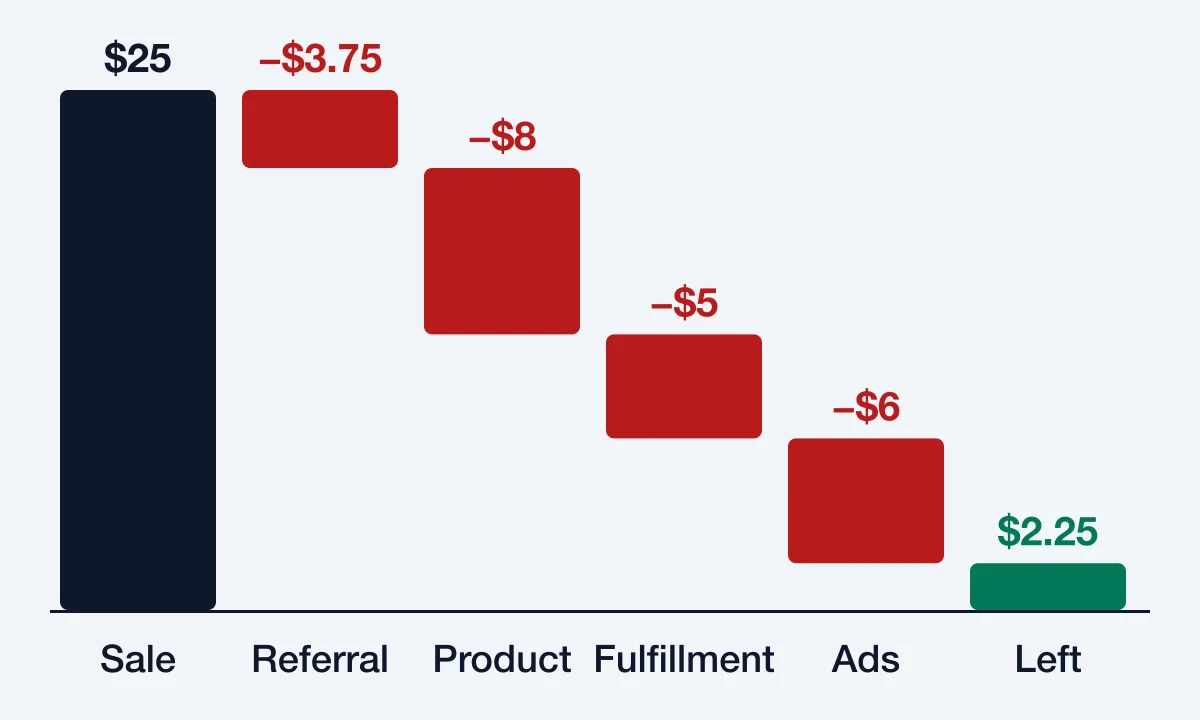
Say you sell a $25 item. The referral fee is $3.75. If the product costs $8 and fulfillment costs $5, you keep $8.25 before ads and returns. If ads cost $6 for each sale, you’re down to $2.25, and a single return wipes out the profit on several sales. Amazon’s pricing page has the current fee details and a revenue calculator.
9. Choose your fulfillment on purpose
FBA means Amazon stores your stock, packs and ships your orders, and handles customer service and returns. It suits small, steady sellers well. Slow sellers and heavy items can be another story, because the fees depend on size, weight and storage time. Shipping orders yourself gives you more control, but you take on the packing and the customer service. Run the numbers on one product before you decide for your whole catalog.
10. Advertise once the listing is ready, and protect your brand
Sponsored ads can bring traffic to a new product, but they can’t fix a weak listing. Finish tips 1 to 6 first. Then start small on your most relevant search phrases, and watch your cost per sale against the margin you worked out in tip 8.
If you own your brand, look at Amazon Brand Registry. It needs an active or pending trademark, and it opens up A+ Content, Brand Analytics, Sponsored Brands ads, a free Brand Store and Amazon Vine.
Where to start if you’re short on time
Pick your best-selling product and spend one hour on it:
- Search for it the way a shopper would. Does it appear?
- Look at it on your phone. Is the title clear and the main image sharp?
- Read your last ten reviews and note any complaint that keeps coming back.
- Check your stock and your margin.
You’ll usually find one obvious problem. Fix that first, then repeat the process on your next product. Small, repeated fixes tend to beat a big rewrite you never finish.
Frequently asked questions
How can a new seller get their first sales on Amazon?
Start with a complete listing, then send it some traffic. Small Sponsored Products campaigns, your own email list and social followers all help. Our guide on how to start selling on Amazon covers the setup.
Why are my Amazon sales dropping?
Check the simple causes first: a stock-out, a price change, a new competitor, a recent bad review or a listing error in Seller Central. Then look at whether your traffic fell or your conversion rate did, because each one points to a different fix.
Can I offer a discount for a review?
No. Amazon doesn’t allow any reward in exchange for a review. You can run a normal promotion, as long as it isn’t tied to leaving one.
How often should I update my listings?
Review your main listings every few months, and straight away after a policy change or a run of similar complaints.