If you’re looking to boost your Amazon sales, one of the most important things you can do is make sure your products have UPC codes. These codes are essential for listing your products on Amazon, and they can also help you improve your sales by increasing your visibility, improving your customer experience, and helping you manage your inventory more effectively. In this guide, we’ll take a closer look at UPC codes, how they work, and how you can use them to maximize your Amazon sales.

What are UPC Codes?
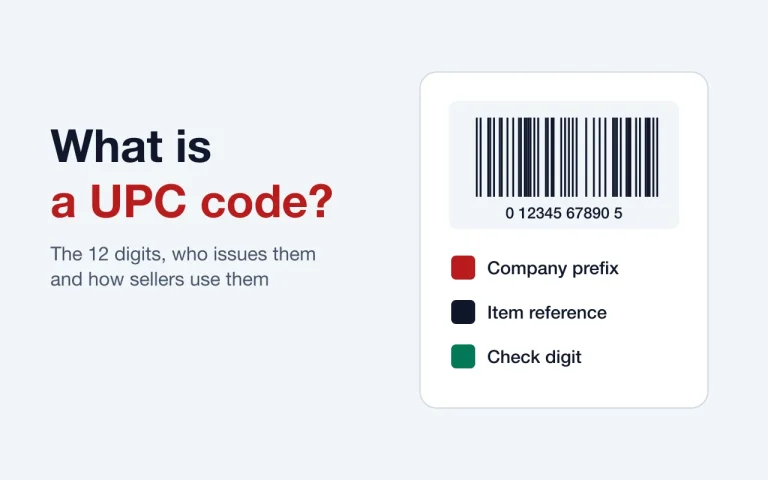
UPC codes, or Universal Product Codes, are a type of barcode that is used to identify products. They consist of a series of black and white bars, along with a 12-digit number that is unique to each product. UPC codes are used by retailers to track inventory and sales, and they are also used by manufacturers to help manage their supply chain.

Importance of UPC Codes in Selling on Amazon
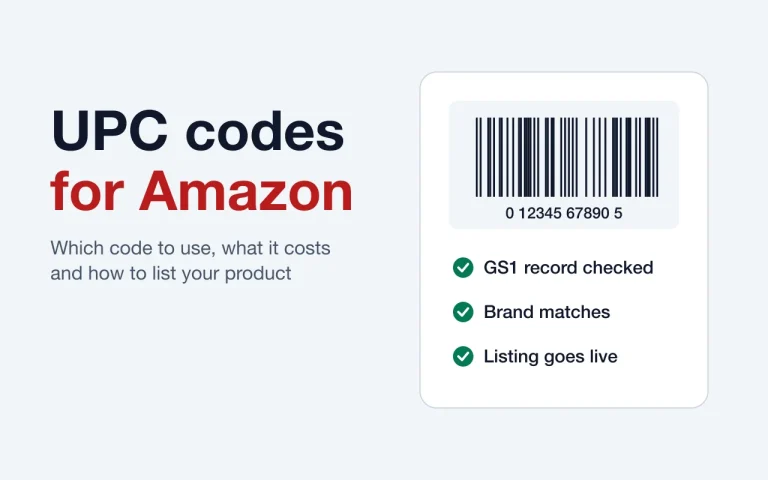
If you want to sell your products on Amazon, having a UPC code is essential. Amazon requires all products to have a unique identifier, and UPC codes are one of the most common ways to provide this information. Without a UPC code, most products cannot be listed on Amazon unless Amazon approves a GTIN exemption for your brand. That means you would miss out on potential sales and revenue.
How Can UPC Codes Improve Your Amazon Sales?
There are several ways that UPC codes can help you improve your Amazon sales:
Enhanced Product Visibility
When you list your products on Amazon, they are competing with millions of other products for attention. By using UPC codes, you can improve your product’s visibility and make it easier for customers to find it when they search for similar products.
Improved Customer Experience
When customers are shopping on Amazon, they want to be able to find the products they are looking for quickly and easily. By using UPC codes, you can provide customers with accurate and consistent product information, which can help them make informed purchasing decisions and improve their overall shopping experience.
Better Inventory Management
UPC codes can also help you manage your inventory more effectively. By using UPC codes to track your products, you can quickly and easily monitor your inventory levels and ensure that you always have enough stock on hand to meet customer demand.
Increased Sales and Profitability
Ultimately, the goal of using UPC codes is to increase your sales and profitability. By improving your product visibility, providing a better customer experience, and managing your inventory more effectively, you can increase your sales and revenue, which can help you grow your business over time.
Understanding UPC Codes
Now that we’ve covered the importance of UPC codes, let’s take a closer look at how they work and how you can use them to maximize your Amazon sales.
What is a UPC Code and How Does it Work?
A UPC code is a type of barcode that is used to identify products. Each UPC code consists of a 12-digit number that is unique to each product, as well as a series of black and white bars that represent that number. When a product is scanned, the barcode is read by a barcode scanner, which translates the bars into the 12-digit number. This number is then used to look up information about the product, such as its price, description, and inventory level.

Types of UPC Codes
There are two types of UPC codes: UPC-A and UPC-E. Here’s a closer look at each type:
- UPC-A: UPC-A is the most common type of UPC code. It consists of 12 digits and is used for most products sold in retail stores. The first 6 to 10 digits are the company prefix assigned by GS1, and the digits after it identify the product. The last digit is a check digit that ensures the code is valid.
- UPC-E: UPC-E is a compressed version of the UPC-A code. It shows eight digits and is a compressed form of a 12-digit UPC, with some zeros left out. It is meant for very small packages that have no room for a UPC-A barcode.
UPC-A is the right choice for most products. A UPC-E barcode is only a smaller way to print a 12-digit UPC on tiny packages, so on Amazon you still enter the full 12-digit number.
Benefits of Having a UPC Code
There are several benefits to having a UPC code for your products:
Improved Customer Experience
Using UPC codes can also help improve your customers’ experience when shopping on Amazon. UPC codes provide consistent and accurate product information, which can help customers make informed purchasing decisions. This, in turn, can improve customer satisfaction and increase the likelihood of repeat business.
Better Inventory Management
UPC codes can also help you manage your inventory more effectively. By using UPC codes to track your products, you can quickly and easily monitor your inventory levels and ensure that you always have enough stock on hand to meet customer demand. This can help you avoid stockouts and backorders, which can negatively impact your sales and reputation on Amazon.
Increased Sales and Profitability
Ultimately, the goal of using UPC codes is to increase your sales and profitability on Amazon. By improving your product visibility, providing a better customer experience, and managing your inventory more effectively, you can increase your sales and revenue, which can help you grow your business over time.
How to Get UPC Codes for Your Products
If you’re new to selling on Amazon or have never used UPC codes before, you may be wondering how to get them for your products. Here are a few options:

Option 1: Purchase UPC Codes
One option is to purchase UPC codes from a UPC code reseller. There are many companies that specialize in selling UPC codes, and prices can vary depending on the number of codes you need and the company you purchase them from. When purchasing UPC codes, it’s important to make sure that the codes are legitimate and not counterfeit, as Amazon has strict guidelines around the use of UPC codes.
There are several cheaper options also available for buying UPC Codes along with GS1,
Option 2: Apply for an Amazon GTIN Exemption
If your products do not have barcodes, you may be able to request a GTIN exemption from Amazon. Common cases are private label, handmade, and bundled products. You apply for each brand and category, and you need a product name and photos that show all sides of the product and its packaging. Amazon reviews each request.
Option 3: Apply for a GS1 Company Prefix
Another option is to apply for a GS1 company prefix, which will allow you to create your own UPC codes for your products. GS1 is a nonprofit organization that provides standardized barcode solutions to businesses around the world. To apply for a GS1 company prefix, you will need to provide information about your business and the products you plan to sell, as well as pay an initial fee and an annual renewal fee.
The costs of obtaining UPC Codes:
The cost of obtaining UPC codes varies depending on the number of codes needed. GS1 US charges $30 for a single GTIN with no renewal fee. A company prefix costs $250 to $10,500 up front, plus $50 to $2,100 a year, based on how many products you need to number. Resellers like GetUPCCode sell codes for less. See current prices on our buy UPC codes page.
Tips for Maximizing Your Amazon Sales with UPC Codes
Now that you know the importance of UPC codes and how to get them for your products, here are a few tips for maximizing your Amazon sales using UPC codes:
Use Accurate and Consistent Product Information
When creating product listings on Amazon, it’s important to use accurate and consistent product information, including the product title, description, and images. This information should match the information on your product’s packaging and should be consistent across all of your product listings.
Optimize Your Product Listings for SEO
To improve your product’s visibility on Amazon, you should optimize your product listings for SEO. This includes using relevant keywords in your product title and description, as well as using high-quality images and providing detailed product information.
Enhanced product visibility
One of the biggest advantages of having a UPC code is that it can enhance your product visibility. When you list your products on Amazon, the platform uses the UPC code to match your product to the right catalog page. A unique UPC for each product keeps your listings accurate, which helps customers find the right item.
Improved customer experience
When customers search for products on Amazon, they want to find accurate and relevant results. By using a UPC code, you can ensure that your products are correctly identified and displayed, making it easier for customers to find what they are looking for. This can lead to a better customer experience and increase the likelihood of customers making a purchase.
Better inventory management
UPC codes can also help you manage your inventory more effectively. By assigning a unique UPC code to each product, you can track its movement through the supply chain and monitor its availability in real-time. This can help you avoid stockouts and ensure that you always have enough inventory to meet customer demand.
Increased sales and profitability
Finally, using UPC codes can help increase your sales and profitability. By improving product visibility and customer experience, you can attract more customers and increase sales. Additionally, better inventory management can help you reduce costs and increase profitability.
Importance of UPC Codes for Amazon Sellers:
UPC codes play a crucial role in helping Amazon sellers increase their sales and visibility. Here’s why:
How UPC codes affect Amazon search:
UPC codes are essential in helping Amazon identify products and improve their search results. They enable Amazon to categorize products correctly, making them more visible to potential customers.
UPC codes and product categorization:
UPC codes help Amazon categorize products by brand, size, color, and other attributes. This makes it easier for customers to find products and compare prices.
UPC codes and Amazon Brand Registry:
Amazon Brand Registry does not require a UPC. You need a pending or registered trademark and a brand name or logo on your products or packaging. Brand Registry helps protect against counterfeits and lets you control your brand’s listings.
UPC codes and Amazon’s buy box algorithm:
A UPC does not decide who wins the buy box (now called the Featured Offer). Amazon looks at price, fast shipping, order experience, and stock levels.
UPC Code Guidelines for Amazon Sellers:
When it comes to selling on Amazon, UPC codes play a crucial role in ensuring the success of your business. As an Amazon seller, it’s important to understand the guidelines and policies surrounding the use of UPC codes on the platform. Amazon has strict guidelines for the use of UPC codes. Here’s what sellers need to know:
Amazon’s UPC Code Policy: Amazon requires a valid product ID (GTIN) for most categories, and it checks UPCs against the GS1 database. UPCs that do not match GS1 information are treated as invalid. It is also important to note that Amazon has its own guidelines and policies for using UPC codes, which sellers must follow. Failure to comply with these guidelines may result in account suspension or other penalties.
Avoiding UPC Code Violations: One of the most common mistakes that Amazon sellers make when using UPC codes is using codes that are not unique or registered with the GS1. This can lead to listing errors, confusion among buyers, and account suspension. It’s important to always verify the authenticity and uniqueness of UPC codes before using them on Amazon.
Proper Use of UPC Codes on Amazon: Amazon requires that UPC codes be used in a specific manner, including how they are added to product listings and how they are displayed to customers. It’s important to follow Amazon’s guidelines for UPC code usage to avoid any violations or penalties. Additionally, UPC codes must match the product’s details and images, and they cannot be reused or assigned to a different product.
How to Use UPC Codes on Amazon:
Once sellers have obtained their UPC codes, they need to add them to their product listings. Here’s how to do it:
How to add UPC Codes to your Amazon listings
Sellers can add UPC codes to their product listings using Amazon’s Seller Central platform. They need to create a new product listing and enter the code in the appropriate field.
- Go to your Amazon Seller Central account and select “Inventory” from the menu.
- Click on “Add a Product” and search for the product you want to list.
- Fill out all the required information for your product, including the UPC code in the appropriate field.
- If you have variations of your product, such as different sizes or colors, each variation needs its own UPC code.
- Make sure to accurately describe your product and include high-quality images.
- Save and submit your listing.
How to optimize your product listings with UPC Codes:
Sellers can optimize their product listings by ensuring that their UPC codes match the product’s details and images. This improves the accuracy of Amazon’s search results and increases the chances of winning the buy box.
How to monitor your sales and performance using UPC Codes:
Sellers can use UPC codes to track their sales and performance on Amazon. They can analyze their product’s sales history and identify trends to improve their marketing strategies.
UPC Code Best Practices for Amazon Sellers:
To maximize the benefits of UPC codes, Amazon sellers should follow these best practices:
Tips for selecting the right UPC codes:
Sellers should choose UPC codes that are unique, accurate, and registered with GS1. They should also ensure that the codes match the product’s details and images.
- Additionally, sellers should avoid using recycled UPC codes, as these may be associated with previously sold products and could lead to confusion or even legal issues.
It is also important to note that using incorrect or invalid UPC codes can result in listing errors or even account suspension on Amazon. Therefore, it is crucial to double-check the accuracy of UPC codes before using them in product listings. - Another tip is to consider the length of the UPC code. While standard UPC codes have 12 digits, there are also UPC-E codes which have 8 digits and can be used for smaller products.
However, it is important to note that some marketplaces, such as Amazon, may require a minimum length of 12 digits for UPC codes. - Lastly, it is important to regularly review and update UPC codes for products, especially if there are any changes to the product’s details or packaging.
This ensures that the UPC code accurately represents the product and avoids any confusion for customers.
How to Optimize Product Listings Using UPC Codes
Using UPC codes on Amazon can help optimize product listings in a number of ways. Here are some tips to help you maximize the benefits of UPC codes:
- Ensure accuracy: Make sure the UPC code matches the product in terms of brand, size, and other details. Incorrect UPC codes can lead to product listings being removed or suppressed.
- Include product information: By linking the UPC code to product information, you can make it easier for customers to find and purchase your products. This includes details such as product name, brand, manufacturer, size, and color.
- Use keywords: Incorporate relevant keywords into your product information to improve search rankings and increase visibility.
- Ensure product images match: UPC codes should match the product images used in product listings. This helps customers quickly identify the product they are interested in.
Importance of Product Images and UPC Codes
In addition to using accurate and detailed product information, high-quality product images are also important when using UPC codes on Amazon. Product images can help customers quickly identify the product they are looking for, which can lead to increased sales. When using UPC codes, it’s important to ensure that the product images match the product being sold. This includes the product’s packaging, color, size, and other details.
Using UPC Codes for Product Variations
UPC codes can also be used for product variations, such as different colors or sizes. By using unique UPC codes for each variation, you can help customers easily find the specific product they are interested in. This also allows for easier inventory management and tracking.
UPC Codes and Amazon Advertising
Using UPC codes can also improve Amazon advertising campaigns. By incorporating UPC codes into sponsored product ads, you can improve product targeting and increase the likelihood of conversions. When creating sponsored product ads, consider using keywords and product information linked to UPC codes to help increase ad relevance and visibility.
UPC Code Mistakes to Avoid
When using UPC codes on Amazon, it’s important to avoid common mistakes that can lead to listing errors or suppression. Some common mistakes to avoid include:
- Using incorrect UPC codes: Ensure the UPC code matches the product being sold.
- Using duplicate UPC codes: Each product should have a unique UPC code.
- Reusing UPC codes: A UPC assigned to one product should never be moved to a different product.
If you encounter UPC code errors or issues, Amazon provides tools and resources to help fix the problem.
UPC Codes for International Amazon Marketplaces
When selling on international Amazon marketplaces, UPC code requirements may vary. Some marketplaces may not require UPC codes, while others may require unique UPC codes for each product. It’s important to research and understand the UPC code requirements for each marketplace to ensure compliance and avoid listing errors.
Conclusion
In summary, UPC codes play an important role in maximizing Amazon sales. By using UPC codes, sellers can improve product visibility, customer experience, inventory management, and overall sales and profitability. However, it’s important to ensure accuracy and avoid common mistakes to fully benefit from UPC codes on Amazon. Incorporating high-quality product images and considering UPC codes in Amazon advertising campaigns can also help boost sales. When expanding to international Amazon marketplaces, researching and understanding UPC code requirements is crucial for success.
FAQ
What is a UPC code?
A UPC code, or Universal Product Code, is a unique 12-digit barcode used to identify a product and track it through the supply chain.
Do I need a UPC code to sell on Amazon?
In most cases, yes. Amazon requires a UPC code or equivalent product identifier for most categories. Some brands can apply for a GTIN exemption instead.
Where can I get UPC codes?
UPC codes can be obtained from GS1, a global organization that manages the allocation of UPC codes. There are also third-party sellers that offer UPC codes at a lower cost, but be cautious of their legitimacy.
How much does a UPC code cost?
The cost of a UPC code depends on where you obtain it. GS1 US charges $30 for a single GTIN, or $250 for 10 UPC codes plus a $50 annual renewal fee. Third-party sellers may offer UPC codes at a lower cost but be aware of potential issues with authenticity.
Can I reuse UPC codes for different products?
No, each product must have its own unique UPC code. Reusing UPC codes can cause confusion in the supply chain and lead to issues with inventory management.
What is the difference between UPC and ASIN?
UPC is a unique product identifier, while ASIN, or Amazon Standard Identification Number, is a unique identifier assigned by Amazon to products listed on their marketplace.
How do UPC codes affect my Amazon search rankings?
UPC codes do not directly impact search rankings, but they are required for products to be listed and sold on Amazon, which can indirectly impact search visibility.
What happens if I don’t have a UPC code for my product?
If your product requires a UPC code and you do not provide one, your listing may be removed, or your account may be suspended.
Can I use the same UPC code for my product on different marketplaces?
Yes. A UPC identifies the product itself, not the store, so the same code works on Amazon, Walmart, eBay, and other marketplaces.
How do I add a UPC code to my Amazon listing?
You can add a UPC code to your listing during the product creation process or by editing an existing listing. Be sure to enter the UPC code correctly to avoid any issues with product identification or inventory management.