Amazon shoppers find products through search, so a listing gets seen when Amazon can tell what it is and shoppers respond well once they see it. You improve both with accurate product data, a clear title, good images, useful bullet points and honest reviews. Amazon doesn’t publish how its ranking works, so be wary of anyone who claims to know the exact formula. The advice below sticks to what sellers control and what Amazon’s own programs support.
Most of this work is unglamorous. It’s about giving shoppers and Amazon’s systems the same clear answer to one question: what is this product, and is it the one I want?
Start with the basics: the right product ID
Discoverability begins before you write a word. Your product ID, usually a UPC, tells Amazon which catalog entry your listing belongs to. A wrong or blocked code can stop a listing from going live at all, and no amount of keyword work fixes that.
Our UPC codes for Amazon guide explains how Amazon checks codes against GS1 data and who should buy which type. Sort this out first, and then work on content.
How to think about Amazon search
Two broad things decide whether your product shows up and sells:
- Relevance. Does your listing match what the shopper typed? Amazon works this out from your title, bullet points, description, attributes and search terms.
- Performance. Do shoppers click, buy and stay happy? Sales, reviews and returns all tell Amazon whether people want what they found.
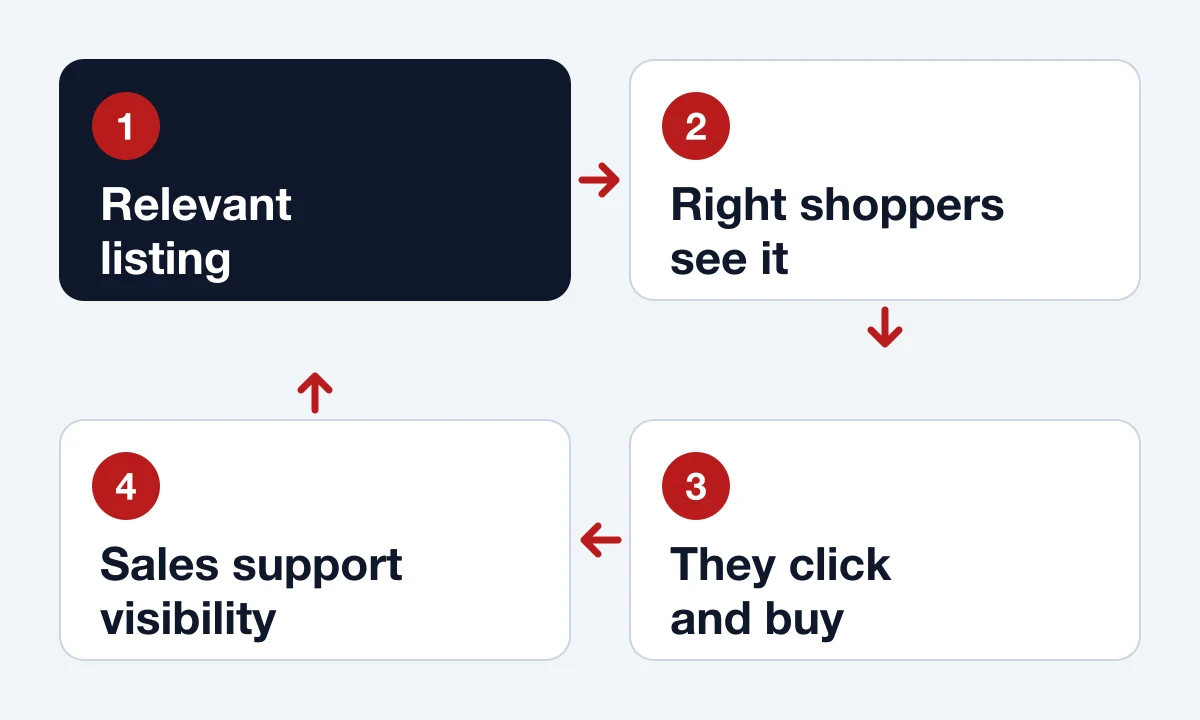
These feed each other. A relevant listing gets shown to the right people, the right people buy, and those sales tend to support better visibility. A listing stuffed with loosely related keywords gets shown to the wrong people, who don’t buy.
Find the words shoppers really use
Start by thinking like your customer. What would they type if they didn’t know your brand? “Waterproof hiking boots for women” says far more than “boots.” Longer phrases have fewer searches but far more intent, and they’re usually easier to win.
Then check your guesses against real data:
- Amazon’s search bar. Type the start of a phrase and read the suggestions. They’re free and come straight from Amazon.
- Competing listings. See how the top products describe the same item, especially the words that keep coming up.
- Your own reviews and questions. Customers tell you how they describe your product, in their own words.
- Brand Analytics. If your brand is enrolled in Amazon Brand Registry, this tool shows trends in customers’ searches and purchases.
Write a title that fits the new limit
Older advice told sellers to pack in as many keywords as possible. That no longer works. Amazon set a 200-character cap and limited repeated words and decorative symbols in January 2025, and trade reports say titles outside media must now be 75 characters or fewer, as of July 27, 2026. Longer titles can be shortened by Amazon’s AI. We couldn’t check the rule on Amazon’s own pages, which need a seller login, so confirm the limit for your category in Seller Central.
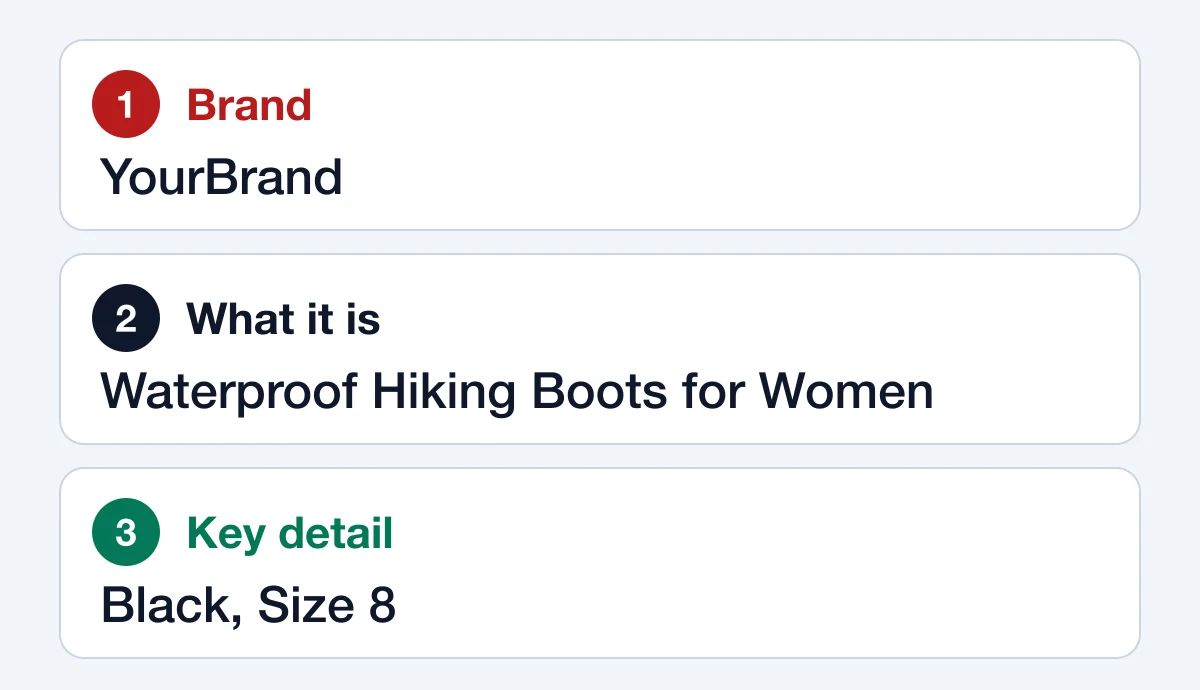
Either way, write short. Lead with the brand and what the product is, then add the one or two details that matter most, such as size or color. Move everything else to your bullet points.
Use bullet points to answer objections
Don’t just list features. Tell shoppers why each one matters to them. “Breathable fabric” is a feature. “Breathable fabric keeps you cool on long runs” is a reason to buy.
A good way to write bullets is to list the questions a shopper would ask a salesperson. Will it fit? What’s it made of? What’s in the box? How do I clean it? Then answer each one in a line. Put the most important point first, and include your main search phrases where they read naturally.
Use the search terms field properly
Every listing has a hidden search terms field. It’s the right place for synonyms and alternate names that don’t fit naturally in your copy. Seller guides put the limit at 250 bytes, and some say going over can mean the whole field is ignored. So stay under it.
- Don’t repeat words that are already in your title.
- Separate terms with spaces, because commas just waste space.
- Leave out other brands’ names, and words like “best” or “cheap.”
Show the product clearly
Your main image does more work than any sentence. Seller guidance is consistent on the main image: a pure white background, with the product filling about 85% of the frame, and no added text or logos. Use a large file so zoom works. Aim for at least 1,600 pixels on the longest side, which clears every figure we’ve seen quoted. Your category’s style guide in Seller Central has the final word.
Use your other image slots to show what the first one can’t:
- The product in use, so shoppers can picture it in their life.
- Size and scale, with something familiar beside it.
- Close-ups of materials and details.
- What’s in the box.
Remember that a lot of shoppers will see these on a phone. Check that any text in your images is readable at that size.
Add A+ Content if your brand qualifies
Brand owners enrolled in Brand Registry can add A+ Content, which includes enhanced images, comparison charts and video. It replaces a plain description with something closer to a brochure. It takes time to build, so start with your best-selling or highest-value products.
Earn reviews the right way
Reviews build trust with shoppers, but Amazon’s rules are strict. Don’t pay for reviews, and don’t offer a discount, free product or gift in return for one. Don’t ask only happy customers to review, and don’t ask anyone to change a review. Use Seller Central’s Request a Review button, which sends a standard message, and consider Amazon Vine if you have Brand Registry.
Keep measuring and improving
A listing is never quite finished. Check your numbers every few weeks in Seller Central:
- Low traffic? Your relevance needs work, so look at your title and keywords.
- Plenty of traffic but few sales? Look at your images, price and reviews.
- Lots of returns? Your listing may be promising something the product doesn’t deliver.
Change one thing at a time, so you know what made the difference. Brand owners can also use Amazon’s Manage Your Experiments tool to test versions of content, where it’s available for their product.
Frequently asked questions
How long does it take for listing changes to show up?
It varies. Some edits appear quickly, while ranking effects take longer because they depend on how shoppers respond. Give a change a few weeks before you judge it.
Does keyword stuffing work on Amazon?
No. It makes a listing harder to read, and Amazon’s title rules now limit repeated words. Write for the shopper, and use the search terms field for extra phrases.
Do I need Brand Registry to rank?
No, but it helps. Any seller can improve titles, images and bullets. Brand Registry adds tools such as A+ Content and Brand Analytics, and it requires an active or pending trademark.
Should I use ads to improve discoverability?
Ads can bring early traffic to a new listing, and that traffic can lead to sales and reviews. They work best once your listing converts well, because paying to send shoppers to a weak page wastes money.